Part of our ecobee thermostat guides.
Quick answer: Yes. ecobee says that without Wi-Fi, your thermostat still works as a traditional thermostat: it runs your heating and cooling and keeps your comfort set points. What you lose:
- remote control in the ecobee app and web portal
- weather data
- Home IQ and System Monitor reports
- Alexa, HomeKit (Siri) and other integrations
You do need Wi-Fi once to register the thermostat to an ecobee account.
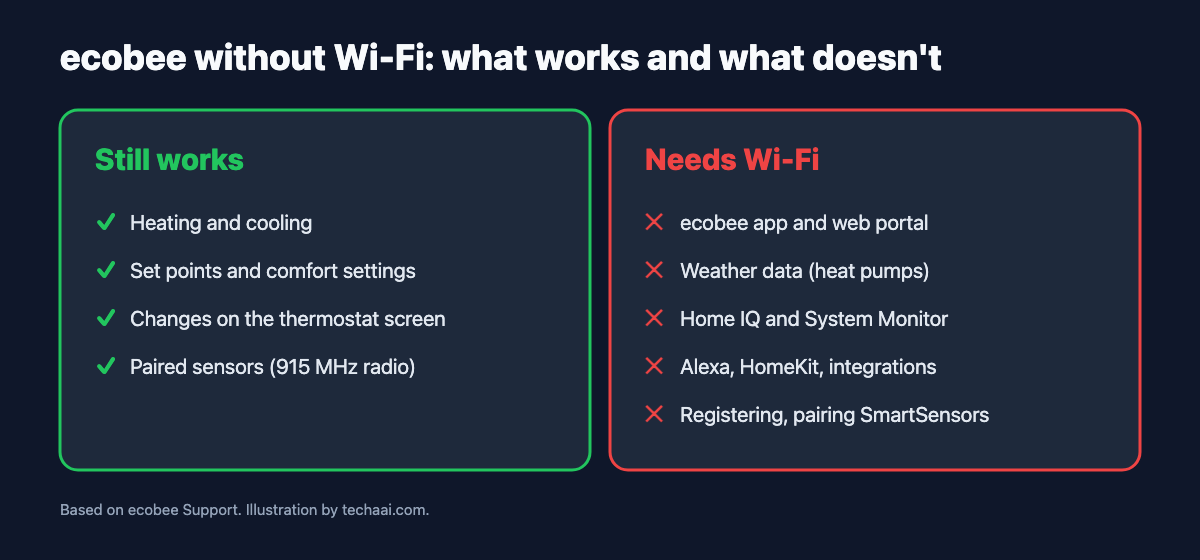
What works on an ecobee without Wi-Fi
| Feature | Without Wi-Fi |
|---|---|
| Heating and cooling to your set temperature | ✅ Works |
| Changing the temperature on the thermostat’s screen | ✅ Works |
| Comfort settings (Home, Away, Sleep) on the thermostat | ✅ Keeps your set points |
| Paired room sensors talking to the thermostat | ✅ They use their own 915 MHz radio, not Wi-Fi |
| Control from the ecobee app or web portal | ❌ Not available |
| Weather data (outdoor temperature) | ❌ Not available |
| Home IQ and System Monitor reports, runtime data | ❌ Not available |
| Alexa, HomeKit (Siri), Google and other integrations | ❌ Not available |
| eco+ Schedule Assistant suggestions | ❌ Needs internet |
| Pairing a new SmartSensor | ❌ Needs the thermostat and app on the same Wi-Fi |
Heat pump? Weather data matters
If you have a heat pump, ecobee uses weather data to decide whether it’s safe to run the compressor in cold weather. Without Wi-Fi, it can’t get that data. If you have a heat pump, it’s best to keep the ecobee online. If you can’t, ask your HVAC installer how your system should be set up without weather data.
Can you set up an ecobee without Wi-Fi?
You can skip Wi-Fi during setup, and the thermostat will still run your system. But without connecting at least once, you can’t register it to an ecobee account. ecobee also says its support team can help far less without a registered account. Connect it to Wi-Fi at least once to register, even if you plan to run it offline.
Your Wi-Fi went down: what happens?
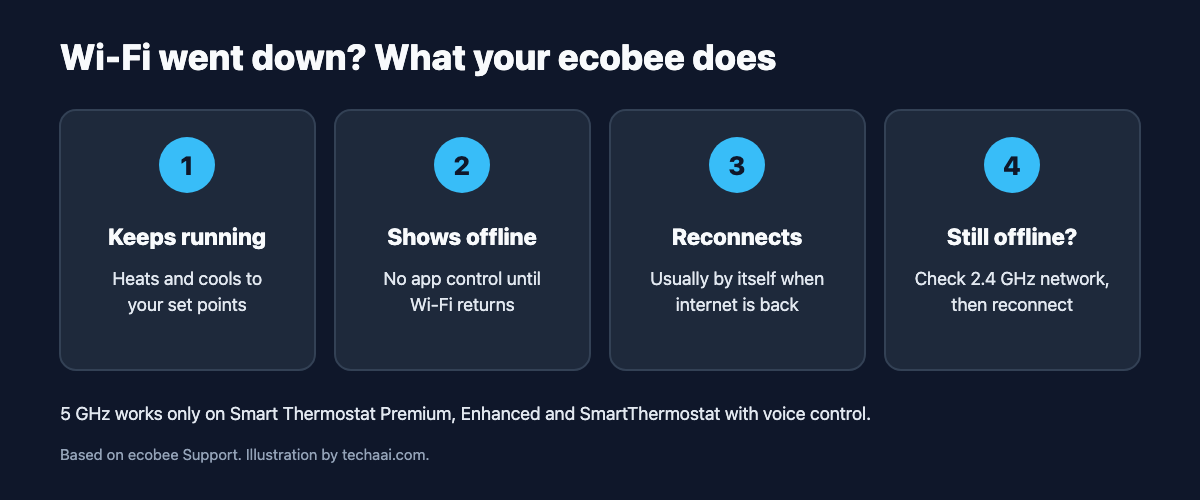
- The ecobee keeps heating and cooling to your schedule and set points.
- The app shows it as offline, and you can’t change it remotely until Wi-Fi is back.
- When your internet returns, it usually reconnects by itself.
Not reconnecting? See ecobee won’t reconnect to WiFi and Why does my ecobee keep going offline?
Which Wi-Fi does ecobee need?
- All ecobee thermostats work on 2.4 GHz Wi-Fi.
- Only the Smart Thermostat Premium, Smart Thermostat Enhanced and SmartThermostat with voice control also support 5 GHz.
Setting up or changing networks: on the thermostat, go to Main Menu > Settings > Wi-Fi, choose your 2.4 GHz network and enter the password.
FAQ
Will my ecobee stop working if the internet goes down?
No. It keeps running your heating and cooling. You just can’t use the app until it’s back online.
Do ecobee room sensors need Wi-Fi?
No. Paired sensors talk to the thermostat over 915 MHz radio. But pairing a new SmartSensor needs the thermostat and app on the same Wi-Fi. See How do ecobee sensors work?
Can I use ecobee with no internet at all, like in a cabin?
Yes, as a basic thermostat. Register it once on Wi-Fi first (a phone hotspot works), then it can run offline.
Does Alexa work with ecobee without Wi-Fi?
No. Alexa, HomeKit and all third-party integrations need a stable Wi-Fi connection.
Related guides
- ecobee won’t reconnect to WiFi
- Why does my ecobee keep going offline?
- How do ecobee sensors work?
- How to reset an ecobee thermostat
- Does ecobee work with Google Home?
Sources
ecobee Support: Set up or change your ecobee thermostat Wi-Fi connection, Room Sensors: FAQs, Setup Guide, and Troubleshooting, eco+ features: Schedule Assistant

